AI Applications
Choose an AI model to get started
Video Generation
Image Generation
Audio Generation
Video Effects
Z-Image-Base
A 6B-parameter text-to-image model with full CFG support. Supports negative prompting and optional reference image guidance for maximum control over image generation. Generate photorealistic images with style transfer and composition guidance.
Input
Output
Generated content will appear here
Example Results
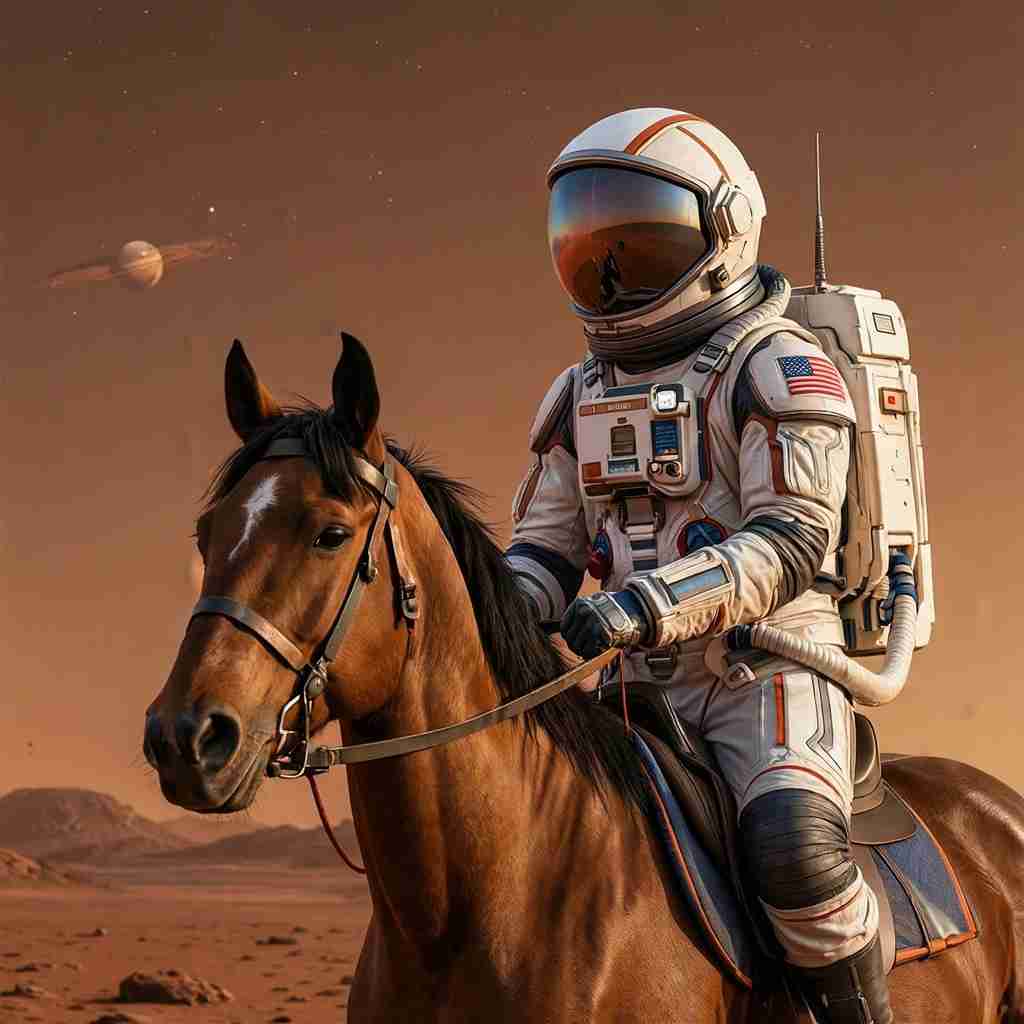
Text-to-Image:
A cinematic photo of an astronaut riding a horse on Mars, dramatic lighting, highly detailed

Text-to-Image:
A mystical forest with glowing mushrooms, ethereal lighting, fantasy art style
Frequently Asked Questions
- What is Z-Image-Base?
- Z-Image-Base is a 6B-parameter text-to-image model from Tongyi-MAI that generates photorealistic images with optional reference image guidance. It supports full CFG (Classifier-Free Guidance) for maximum control over image generation.
- How does reference image guidance work?
- You can optionally upload a reference image to influence the generated output's composition, style, or subject matter. Use the strength slider to control how much the reference affects the result: lower values (0.2-0.4) follow the reference closely, while higher values (0.8-1.0) let the prompt dominate.
- What is the negative prompt for?
- The negative prompt lets you specify elements to avoid in the generated image. Common uses include 'blurry, distorted, low quality, artifacts' to improve overall image quality, or specific elements you don't want to appear.
- What sizes are supported?
- Z-Image-Base supports sizes from 256×256 up to 1536×1536 pixels. You can choose square or rectangular images. The default is 1024×1024 for a good balance of quality and speed.
- How does the strength parameter work?
- The strength parameter (0-1) controls the reference image's influence. Lower values (0.2-0.4) produce outputs that closely follow the reference. Medium values (0.5-0.7) blend reference and prompt equally. Higher values (0.8-1.0) make the prompt dominant with the reference as loose inspiration.
- What are the best use cases for Z-Image-Base?
- Z-Image-Base excels at: rapid prototyping and concept exploration, style-guided generation for consistent aesthetics, content creation for social media and marketing, creative experimentation with different prompts and settings, and batch generation for catalogs and product visuals.
- How do I get the best results?
- For best results: be specific about style, lighting, and composition in your prompt; use negative prompts to avoid common issues; when using a reference image, start with strength around 0.6 and adjust based on results; keep the same seed to iterate on a composition while tweaking the prompt.
- Can I use it without a reference image?
- Yes! Z-Image-Base works perfectly as a pure text-to-image model. The reference image is completely optional. When no image is provided, the model generates based solely on your text prompt.
- How does the seed parameter work?
- Set seed to -1 for random results, or use a fixed integer to make outputs reproducible. The same prompt + seed combination will yield similar images, which is useful for iterating on a design or maintaining consistency across variations.
- What makes Z-Image-Base different from Z-Image-Turbo?
- Z-Image-Base offers full CFG support with negative prompting and reference image guidance for maximum creative control. Z-Image-Turbo is optimized for speed with fewer steps. Choose Base when you need fine-tuned control over the output, and Turbo when speed is the priority.
You Might Also Like
View AllTry Nano Banana 2 Edit (Gemini 3.1 Flash)
Get stronger subject consistency and multi-reference editing with Nano Banana 2 Edit.
FLUX.1 Krea [dev]
Photorealistic image generation with distinctive aesthetics that avoids the oversaturated AI look.
FLUX.1 Schnell
Optimized for speed, this model generates images from text prompts quickly. A ~3x speedup over the original model with minimal quality loss.
OpenAI GPT Image 1.5
Generate high-quality, photorealistic images using OpenAI's latest GPT Image 1.5 model. Excellent at following complex instructions and rendering intricate details.