AI Applications
Choose an AI model to get started
Video Generation
Lightricks LTX-2.5 Fast
78
Vidu Q3 Turbo Image to Video
12
Google Veo3.1 Lite Text to Video
84
Google Veo3.1 Lite Image to Video
84
Wan 2.6 Image to Video Flash
24
Seedance V1.5 Pro Image to Video
100
Steady Dancer
80
Minimax Hailuo 2.3 Fast
108
Seedance V1 Pro Fast Text to Video
20
Seedance 2.0 Fast Text to Video
500
Seedance 2.0 Fast Image to Video
500
Wan 2.1 Mocha
60
Lightricks LTX-2 Fast Text to Video
120
Lightricks LTX-2 Fast Image to Video
120
Wan 2.5 Image to Video Fast
150
Wan 2.2 Animate
50
Video Face Swap
30
Wan 2.2 Image to Video Fast
20
Image Generation
OpenAI GPT Image 2
5
OpenAI GPT Image 2 Edit
13
Nano Banana 2 Text to Image (Gemini 3.1 Flash)
33
Nano Banana 2 Edit (Gemini 3.1 Flash)
33
Seedream V5.0 Lite (Bytedance)
17
Seedream V5.0 Lite Edit (Bytedance)
17
Qwen Image Edit Multiple Angles
12
Flux 2 Klein 9B Edit
8
Qwen Image Edit 2511
15
OpenAI GPT Image 1.5
5
Ernie Image Text to Image
13
Ernie Image Text to Image Turbo
13
Seedream V4.5 (Bytedance)
20
Z-Image-Turbo
1
Z-Image-Base
4
NVIDIA Chrono Edit
10
Hunyuan Image 3
6
Flux 1 Srpo
5
Seedream V4 (Bytedance)
6
Seedream V4 Edit (Bytedance)
6
Qwen Image Edit
10
Nano Banana (Gemini 2.5 Image Edit)
5
Image Upscaler
5
Flux Dev
3
Qwen Image
3
FLUX.1 Krea [dev]
4
Change Haircut
5
Broccoli Hairstyle Try On
5
Face to Many Kontext
4
FLUX.1 Schnell
1
FLUX.1 Kontext Dev
4
Audio Generation
Video Effects
OpenAI GPT Image 1.5
Generate high-quality, photorealistic images using OpenAI's latest GPT Image 1.5 model. Excellent at following complex instructions and rendering intricate details.
Cost: 5 credits
Input
Output
Generated content will appear here
Example Results
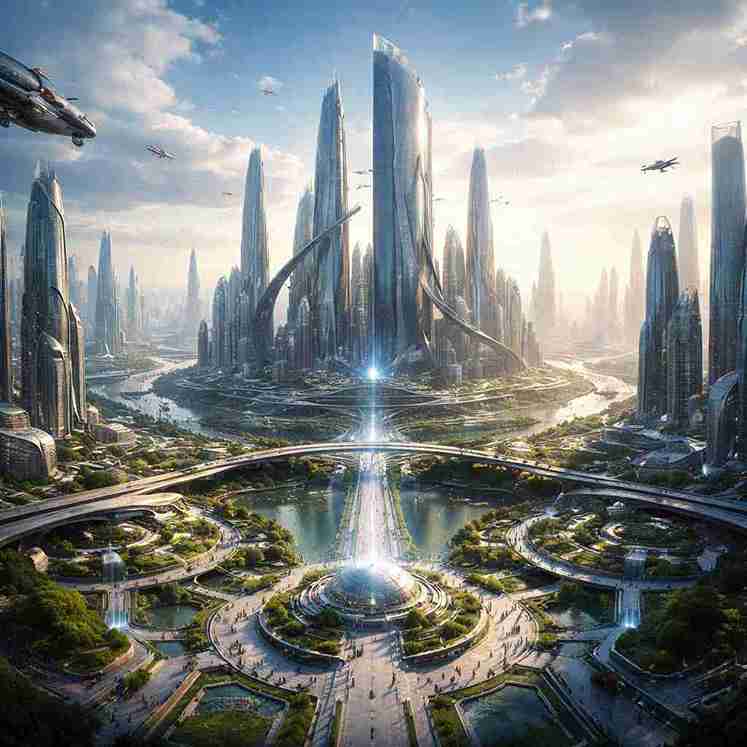
Text to Image:
Futuristic city concept
Frequently Asked Questions
- What is the core strength of GPT Image 1.5?
- GPT Image 1.5 excels at understanding complex, nuanced prompts and maintaining high semantic accuracy. It is designed to follow intricate instructions that other models might overlook, making it perfect for precise creative control.
- What are the primary business use cases for this model?
- It is ideal for rapid prototyping of UI/UX designs, creating professional marketing moodboards, generating social media visuals, and producing high-fidelity concept art for film or game development.
- Can I adjust the generation quality setting?
- To ensure maximum efficiency and the fastest possible turnaround for your business needs, the quality is currently fixed at the 'Low' setting. This provides a perfect balance of clarity and sub-second generation speed.
- How should I structure my prompts for the best results?
- Since this model is built on OpenAI's advanced language understanding, you can use natural, descriptive sentences. Instead of just keywords, describe the lighting, atmosphere, and specific placements to get exactly what you need.
- What aspect ratios are available for different design needs?
- We support three professional resolutions: 1024x1024 (Square for social media/avatars), 1024x1536 (Portrait for mobile/posters), and 1536x1024 (Landscape for web banners/presentations).
- Are the generated images available for commercial use?
- Yes, images generated using our GPT Image 1.5 API are suitable for commercial projects, marketing campaigns, and business presentations, helping you scale your creative output efficiently.
You Might Also Like
View All5
Change Haircut
Quickly change someone's hairstyle and hair color using FLUX Kontext.
Try Now
13
Ernie Image Text to Image
Generate high-quality images with Baidu ERNIE Image from multilingual prompts in English, Chinese, and Japanese, with flexible output sizing.
Try Now
13
Ernie Image Text to Image Turbo
Generate high-quality images with Baidu ERNIE Image Turbo from multilingual prompts in English, Chinese, and Japanese, with faster response and flexible output sizing.
Try Now