AI Applications
Choose an AI model to get started
Video Generation
Image Generation
Audio Generation
Video Effects
OpenAI GPT Image 2
Generate high-fidelity images from natural language prompts with OpenAI GPT Image 2. Great for complex cinematic scenes, product visuals, and concept art.
Input
Output
Generated content will appear here
Example Results
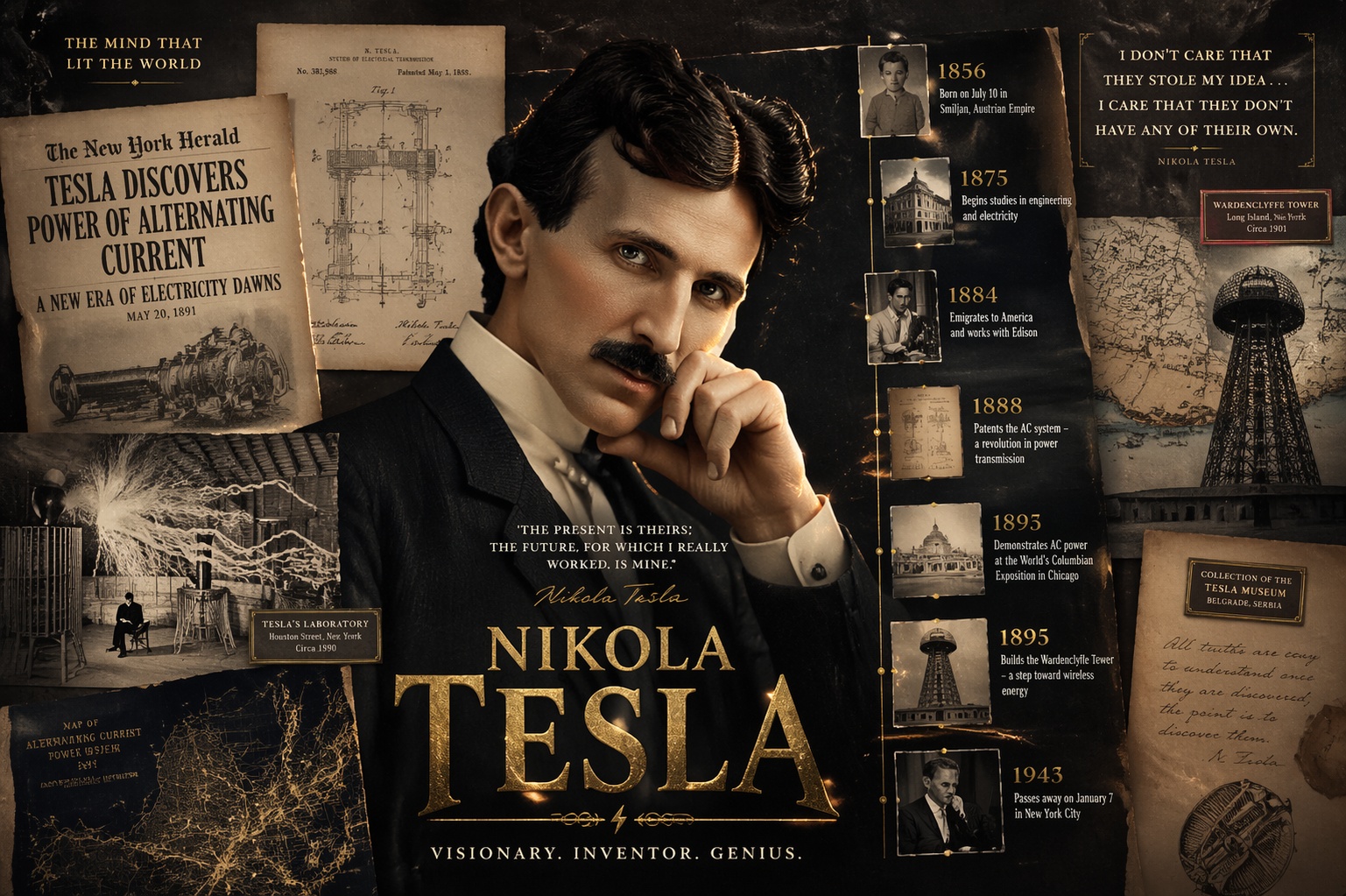
Text to Image:
Design a premium cinematic poster that combines a modern hero portrait with a historical timeline collage. The composition includes layered archival photos, vintage newspaper clippings, old map fragments, museum labels, and a dramatic central character in contemporary lighting. Add visible English headline text and date markers that are clean and readable, not distorted. Use rich typography hierarchy, film-grain texture, paper scratches, subtle gold foil accents, and deep contrast. Keep foreground-midground-background separation, high detail, editorial quality, and a polished poster layout.
Frequently Asked Questions
- What is GPT Image 2 best at?
- GPT Image 2 is strong at following detailed instructions and preserving scene structure. It performs well on complex prompts with multiple subjects, lighting directions, and cinematic composition.
- How does it compare to Nano Banana 2?
- GPT Image 2 is generally stronger at typography-heavy layouts and instruction fidelity in complex poster compositions. Nano Banana 2 is often more cost-efficient for rapid visual iteration and broad format exploration. Choose GPT Image 2 for premium text accuracy and polished hero assets; choose Nano Banana 2 for faster, lower-cost ideation.
- How can I write prompts for better quality?
- Use clear descriptions for subject, camera framing, lighting, color mood, and materials. Add style cues like photorealistic, editorial, or concept art to guide rendering direction.
- Which aspect ratio should I choose?
- Use 1:1 for square social assets, 2:3 for portrait layouts, and 3:2 for landscape storytelling shots. Pick the ratio before generation to avoid composition cropping.
- Can generated images be used in commercial workflows?
- Yes. Teams commonly use outputs in internal concepts, campaign drafts, and production pipelines. Always review usage policy and compliance requirements for your target market.
You Might Also Like
View AllNVIDIA Chrono Edit
Physics-aware image editing that preserves pose, lighting, reflections, and shadows. Provide one image and a precise instruction for realistic, consistent edits.
Qwen Image
Advanced image generation with superior text rendering capabilities, including Chinese characters and complex typography.
Qwen Image Edit
Edit images using a prompt. Extends Qwen‑Image’s unique text rendering capabilities to image editing tasks, enabling precise text editing.