AI应用
选择一个AI模型开始使用
视频生成
Lightricks LTX-2.5 Fast
78
Vidu Q3 Turbo 图生视频
12
Google Veo3.1 Lite 文字生成视频
84
Google Veo3.1 Lite 图片生成视频
84
Wan 2.6 图生视频 Flash
24
Seedance V1.5 Pro 图生视频快速版
100
Steady Dancer 动感角色视频
80
Minimax Hailuo 2.3 Fast 图片转短视频
108
Seedance V1 Pro Fast 文本生成视频
20
Seedance 2.0 Fast 文本生成视频
500
Seedance 2.0 Fast 图片生成视频
500
Wan 2.1 Mocha
60
Lightricks LTX-2 Fast 文本转视频
120
Lightricks LTX-2 Fast 图片转视频
120
Wan 2.5 图片转视频(快速版)
150
Wan 2.2 动作驱动动画
50
视频换脸
30
Wan 2.2 图片转视频快速版
20
图像生成
OpenAI GPT Image 2
5
OpenAI GPT Image 2 Edit
13
Nano Banana 2 文生图(Gemini 3.1 Flash)
33
Nano Banana 2 图像编辑(Gemini 3.1 Flash)
33
Seedream V5.0 Lite(Bytedance)
17
Seedream V5.0 Lite Edit(Bytedance)
17
Qwen 多角度图像编辑
12
Flux 2 Klein 9B 图像编辑
8
Qwen 图像编辑 2511
15
OpenAI GPT Image 1.5
5
Ernie 文生图
13
Ernie 文生图 Turbo
13
Seedream V4.5(Bytedance)
20
Z-Image-Turbo
1
Z-Image-Base
4
NVIDIA Chrono Edit
10
Hunyuan Image 3
6
Flux 1 Srpo
5
Seedream V4(Bytedance)
6
Seedream V4 图像编辑(Bytedance)
6
Qwen 图像编辑
10
Nano Banana(Gemini 2.5 图像编辑)
5
图像放大(超分辨率)
5
Flux 开发版
3
Qwen 图像生成
3
FLUX.1 Krea [dev]
4
发型变换
5
西兰花发型试戴
5
人脸多风格转换
4
FLUX.1 快速版
1
FLUX.1 Kontext 开发版
4
Z-Image-Base
60亿参数的文生图模型,支持完整的CFG控制。支持负向提示词和可选的参考图像引导,实现对图像生成的最大控制。生成逼真的照片级图像,支持风格迁移和构图引导。
费用:4 积分
输入
输出
生成内容将显示在此处
示例结果
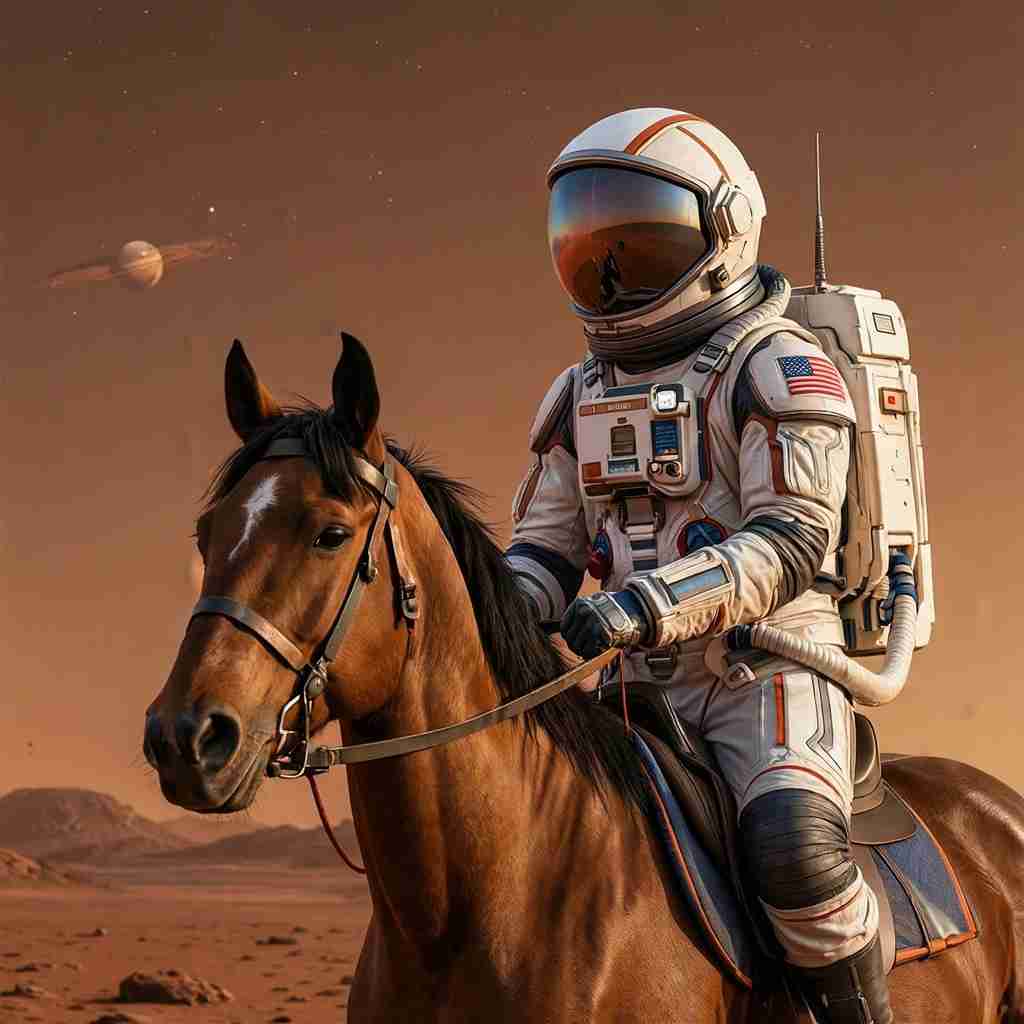
文生图:
A cinematic photo of an astronaut riding a horse on Mars, dramatic lighting, highly detailed

文生图:
A mystical forest with glowing mushrooms, ethereal lighting, fantasy art style
常见问题
- 什么是 Z-Image-Base?
- Z-Image-Base 是通义MAI推出的60亿参数文生图模型,可生成逼真的照片级图像,支持可选的参考图像引导。它支持完整的CFG(无分类器引导),实现对图像生成的最大控制。
- 参考图像引导如何工作?
- 您可以选择上传参考图像来影响生成输出的构图、风格或主题。使用强度滑块控制参考对结果的影响程度:较低的值(0.2-0.4)紧密跟随参考,而较高的值(0.8-1.0)让提示词主导。
- 负向提示词有什么用?
- 负向提示词让您指定要在生成图像中避免的元素。常见用法包括「模糊、扭曲、低质量、伪影」以提高整体图像质量,或您不想出现的特定元素。
- 支持哪些尺寸?
- Z-Image-Base 支持从 256×256 到 1536×1536 像素的尺寸。您可以选择正方形或矩形图像。默认为 1024×1024,在质量和速度之间取得良好平衡。
- 强度参数如何工作?
- 强度参数(0-1)控制参考图像的影响。较低的值(0.2-0.4)产生紧密跟随参考的输出。中等值(0.5-0.7)平衡参考和提示词。较高的值(0.8-1.0)使提示词主导,参考仅作为松散的灵感。
- Z-Image-Base 的最佳用例是什么?
- Z-Image-Base 擅长:快速原型设计和概念探索、风格引导生成以保持一致的美学、社交媒体和营销内容创作、使用不同提示词和设置进行创意实验、以及目录和产品视觉的批量生成。
- 如何获得最佳结果?
- 为获得最佳结果:在提示词中具体说明风格、光线和构图;使用负向提示词避免常见问题;使用参考图像时,从约0.6的强度开始,根据结果调整;保持相同的种子以在调整提示词时迭代构图。
- 可以不使用参考图像吗?
- 可以!Z-Image-Base 完全可以作为纯文生图模型使用。参考图像是完全可选的。当不提供图像时,模型仅根据您的文字提示生成图像。
- 种子参数如何工作?
- 将种子设为 -1 获得随机结果,或使用固定整数使输出可重现。相同的提示词+种子组合将产生相似的图像,这对于迭代设计或保持变体间的一致性很有用。
- Z-Image-Base 与 Z-Image-Turbo 有什么区别?
- Z-Image-Base 提供完整的CFG支持,包括负向提示词和参考图像引导,实现最大的创意控制。Z-Image-Turbo 针对速度优化,步数更少。当您需要对输出进行精细控制时选择 Base,当速度是首要考虑时选择 Turbo。
猜你喜欢
查看全部Recommended for Editing
33
Try Nano Banana 2 图像编辑(Gemini 3.1 Flash)
Get stronger subject consistency and multi-reference editing with Nano Banana 2 Edit.
Try Nano Banana 2 Edit
4
FLUX.1 Krea [dev]
具有独特美学的真实感图像生成,避免过度饱和的AI外观。
立即尝试
1
FLUX.1 快速版
针对速度优化的模型,能够快速从文本提示生成图像。相比原始模型速度提升约3倍,质量损失极小。
立即尝试
5
OpenAI GPT Image 1.5
使用 OpenAI 最新的 GPT Image 1.5 模型生成高质量、写实风格的图像。在遵循复杂指令和呈现细腻细节方面表现卓越。
立即尝试